Cinematic Prompting in 2026: The Camera Move Cheat Sheet for Veo, Kling, and Higgsfield
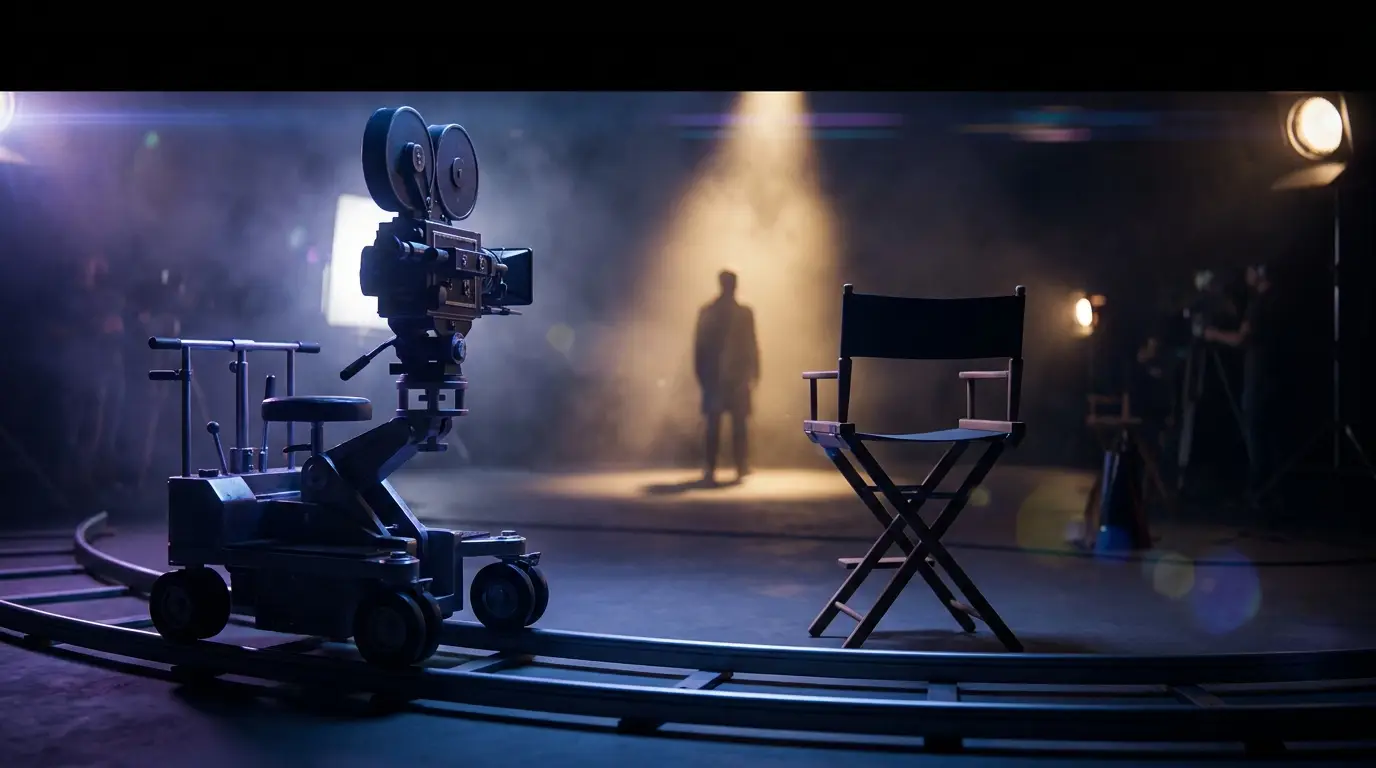
Cinematic Prompting in 2026: The Camera Move Cheat Sheet for Veo, Kling, and Higgsfield
Most AI video clips look bad for the same reason: the prompt is about what's in the frame, not how the frame moves. Subject, setting, lighting — fine. But if you don't tell the model what the camera is doing, you get a static, slightly-floating, vaguely-uncanny shot that screams "AI-generated." Real cinematography is 50% camera language. Your prompts should be too.
Here's the cheat sheet we use internally at PromptVerse for getting movie-grade shots out of Veo 3.1, Kling 3.0, Seedance 2.0, and Higgsfield's Cinema Studio — refreshed for what the late-April 2026 models actually understand.
The four-part shot prompt
Before the camera moves, fix the scaffolding. Every cinematic prompt we ship has these four layers, in this order:
- Environment & lighting. What's the world look like, and where is the light coming from?
- Subject & action. Who or what is in the shot, and what are they doing?
- Camera language. Move type, lens behavior, framing.
- Mood & grade. Color palette, film stock, era references.
Skip layer 3 and you get the floaty, cliché AI look. Skip layer 4 and the result is technically correct but emotionally flat. Both layers are where the magic is.
A working template:
"[Environment + light direction]. [Subject doing action]. [Camera move + lens]. [Mood + grade]."
Concrete:
"Rain-soaked Tokyo alley at 2am, neon kanji reflecting in puddles, hard rim light from a vending machine. A young woman in a yellow raincoat steps over a cable, glancing up. Slow dolly-in on her face, 35mm anamorphic, shallow depth of field. Moody, desaturated cyan-and-amber, Wong Kar-wai grade."
That single sentence will out-render 80% of the prompts we see in the wild.
The camera move vocabulary you need
These are the exact terms Veo, Kling, and Higgsfield's DOP system are trained to understand. Not vague phrases. Specific names:
- Dolly in / dolly out — camera moves toward or away from the subject on rails. Use for tension or reveal.
- Crane shot — camera rises or descends through space. Use for openings, reveals, scale.
- Tracking shot — camera moves alongside a moving subject. Use for chase, walk-and-talk.
- Orbit / arc — camera circles the subject at constant radius. Use for character intros, hero moments.
- Whip pan — fast horizontal swing. Use for transitions or dynamic action.
- Tilt up / tilt down — pivot on a fixed point. Use for vertical reveals.
- Steadicam follow — operator-handheld glide. Use for documentary or video-game feel.
- Push in — slower, smaller version of dolly in. Use for emotional moments.
- Pull back to reveal — start tight, widen to show context. Use for endings.
- POV / first-person — camera as the subject. Use sparingly.
Speed and direction matter as much as the move name. "Slow ascending crane shot" and "fast lateral tracking shot" produce wildly different results.
Lens behavior — the secret weapon
Most AI video looks like a phone shot because the prompt doesn't specify a lens. Add even one of these and the output upgrades a tier:
- 35mm anamorphic — wide cinematic frame, signature horizontal lens flares.
- 50mm prime, shallow depth of field — flattering, "narrative" look.
- 24mm wide angle — environmental, slightly distorted, energetic.
- 85mm telephoto, compressed background — portrait, intimate.
- Macro lens, extreme close-up — texture, detail, surreal scale.
- Vintage lens flare — warmth, era cue.
Pair the lens with a depth-of-field cue: "shallow depth of field" or "deep focus". The model will respect it.
Lighting language that actually moves the needle
If you only learn five phrases, learn these:
- Hard rim light from camera left — defines silhouette, three-dimensional.
- Soft window light, late afternoon golden hour — flattering, naturalistic, warm.
- Practical neon lighting from off-screen sources — cyberpunk, urban night.
- Single-source key light, deep shadows — noir, dramatic, high contrast.
- Overcast daylight, even diffuse light — documentary, neutral, realistic.
Avoid the generic "cinematic lighting" — every model interprets it differently and usually defaults to a teal-orange grade we've all seen too many times.
Model-specific quirks (April 2026)
Each model has its own personality. Same prompt, different output. Knowing the quirks saves you a lot of credits:
Veo 3.1. Best at handheld and documentary feel. Tendency to add ambient sound even when you don't want it — unless you call the API directly, where audio is off by default and you have to explicitly pass generate_audio: true. Veo also rewards specificity in time of day; "5:47 AM" outperforms "early morning."
Kling 3.0. Best at stylized and animated looks. Struggles with photoreal close-ups. Prefers shorter, punchier prompts — under 60 words tends to outperform 120-word epics. If you want anime, painterly, retro, or stop-motion looks, this is your model.
Seedance 2.0. Best at long single-take camera moves. If you write "continuous tracking shot for 8 seconds", Seedance will actually respect the continuity better than any other model. Weak on dialogue and lip sync.
Higgsfield Cinema Studio 3.0. Best at character consistency across shots — the Soul Cast feature is genuinely the only system that keeps a character's face stable across a 30-second sequence. The DOP system also gives you preset camera moves you can drop into prompts (e.g., "DOP: dolly_in_slow") without writing them out.
Three full prompts you can copy
Cinematic portrait, intimate:
"Aging fisherman at dawn, weathered hands cleaning a net on a wooden dock. Cold Atlantic mist, soft directional light from low sun camera left. Slow push-in to medium close-up, 50mm prime, shallow depth of field. Muted blue-grey grade, 16mm film texture, melancholic mood."
Action / kinetic:
"Skater dropping into an empty pool at twilight, Los Angeles, mountains backlit. Magic-hour orange sky. Steadicam tracking shot following the skater down the lip and across the bowl, 24mm wide, deep focus. High-contrast color grade, late-90s skate-video texture, energetic."
Establishing / drone:
"Aerial reveal of a remote mountain monastery emerging through clouds at sunrise, snow-dusted peaks in the background. Slow ascending crane drone shot pulling back to reveal scale, ultra-wide lens, deep focus. Cool teal shadows, warm golden highlights, painterly cinematic grade."
Run any of these through Veo 3.1 or Kling 3.0 and watch the difference vs. your usual prompt.
The real lesson
The models in 2026 are good enough that prompt skill is now the bottleneck, not model quality. The creators consistently shipping work we'd actually pay for aren't running the most expensive tier — they're running the same tier as everyone else, with prompts that respect cinematography as a language.
If you bookmark one PromptVerse post this week, make it this one. Better yet, save the camera move list and lighting cues somewhere you can paste from. Your render queue will thank you.
Got a cinematic prompt that's been crushing it? Submit it through the homepage form — the highest-quality submissions get featured.